
Account access
Log in to 345e
Select Login in the account panel and enter your +92 phone number. The form offers Password Login and Code login.
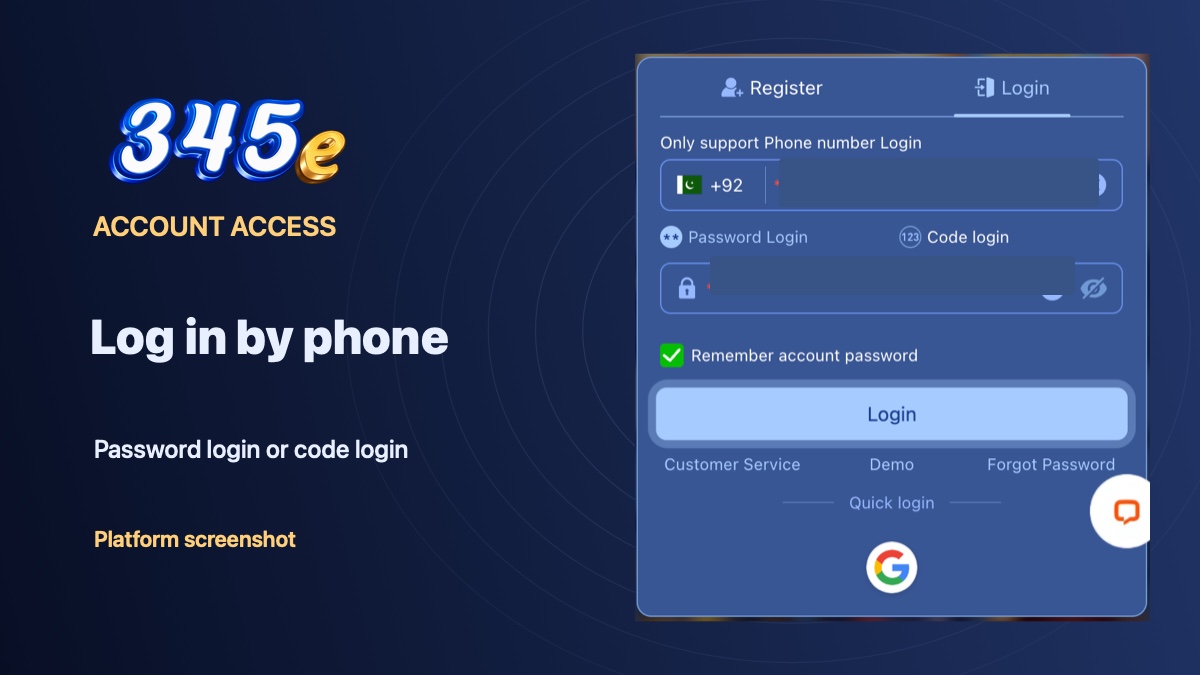
Sign in
Return to your 345e account
Check the platform address before entering any details.
Select Login
Open the account panel and choose the Login tab.
Check the +92 phone number
Enter your registered mobile number.
Choose Password Login or Code login
Follow the fields that appear. Use Forgot Password if you need to reset the password.
Find the right login help
Use the option that matches what you see.
Forgot your password?
Select Forgot Password in the Login panel and follow the verification steps shown by 345e.
Find supportThe login screen will not load
Open 345e in a current mobile browser and check your connection.
See mobile accessNew to 345e?
Check what you need before opening the registration form.
See signup steps
345e login questions
Does 345e accept phone login?
The Login form uses a phone number and shows Password Login and Code login. The visible quick login option has a Google icon.
What should I send to support?
Give the error message, time, device and registered contact method if requested. Keep passwords and OTPs private.
Get account help from 345e
Use Support in the lobby if you still cannot sign in or need to confirm the right recovery route.